Hi Everyone - wishing you all a good outdoor/MTB season this summer!
To make your biking and outdoor activities even better - I invested a lot of time - partly together with a graphics designer - to improve the layout of the maps regarding to making them nicer to look at. Previously I had tried to design all elements so that they are easiest to distinguish - that however caused the some not so important things - like the differentiation between industrial or residential quarters to stick out too much - while for most people the main importance is if you are in the nature or in a build up area. It's still easy to distinguish between shopping, industrial or residential quarters - but the different places don't pop out of the screen anymore - leaving better contrast to streets and trails - so things that really matter. I also made buildings much more similar - I think the old differentiation between simple buildings and those with touristic or public usage was not as important as to make them a darker grey. Landfills are now moved to show only at very high detail - they showed too early.
Also for all layouts residential streets at resolution 23 (300m) are now shown identical to resolution 24 (200m and below) - I did this to save some screen estate in resolution 23 but I think it's too confusing - increases the learning to read the map too much.
The second big change is an addition of a more standard Topographical map layout. It does not show any information that you would not expect in a normal topographical map for hiking - so it is much easier to read. I therefore also made mtb, bicycle and hiking routes much thinner. They are still visible but much less obvious. It's very simple - tracks get red colour, pathes (singletrail) get brown colour. The more dashed the harder/more difficult/worse condition. There is no more differentiation between residential roads and service roads or tracks with tarmac surface (this differentiation is still visible in the hiking layout) as standard topographical maps also do not differentiate this. An exception to this I made with pedestrian zones - they are in most maps not differentiated - but I kept a differentiation for them. I am thinking about modifying the hiking layout a bit therefore - maybe remove all mtb routes and bicycle routes from it? I usually think hikers like to know them too - but in that case they could use the new simplified topographical map layout which is not specific to one activity.
The simple topographical layout also exists for the VeloMap.
Some more changes over the last weeks: add leisure=track for bikeparks where highway=path is not used (happens sometimes), Fixed a bug that ways with route=hiking were shown dominantly in the VeloMap (so you could assume they have better surface - only applies to ways with unknown surface/tracktype/smoothness). Place=locality POI moved from resolution 23 to 24. They are sometimes used excessively.
And some weeks ago - but only written about in the VeloMap newsletter:
I updated the VeloMap compilation process to include an option to show 20m contourlines but no buildings. With gmapsupp.img downloads this has been possible now for over a year - however on your PC/Notebook you could only chose to have map without buildings and without contourlines.
Now there are the following choices for the VeloMaps:
- Map without buildings and without contourlines
- Map with 20m conturlines without buildings
- Map with 20m contourliens including buidings
- Map with 10m contourlines including buildings
Of course you can also install a separate buildings only map, 20m contourlines map and 10m contourlines map if you prefer to create your maps with Garmin MapInstall instead of using the gmapsupp.img downloads. As the buildings layer overlaps sometimes street labels - I will not do this for the OpenMTBMaps - as I assume most people want to have buildings in the openmtbmaps, while I guess for VeloMaps it's oly one third or maximum 50% of users wanting to have buildings shown.
I have added a new section to this website with screenshots showing the differences between the layouts: https://openmtbmap.org/about-2/map-legend/
So here some screenshots showing the changes:
The new cleaner layout - OpenMTBMap Wide layout (very similar for VeloMap Wide):
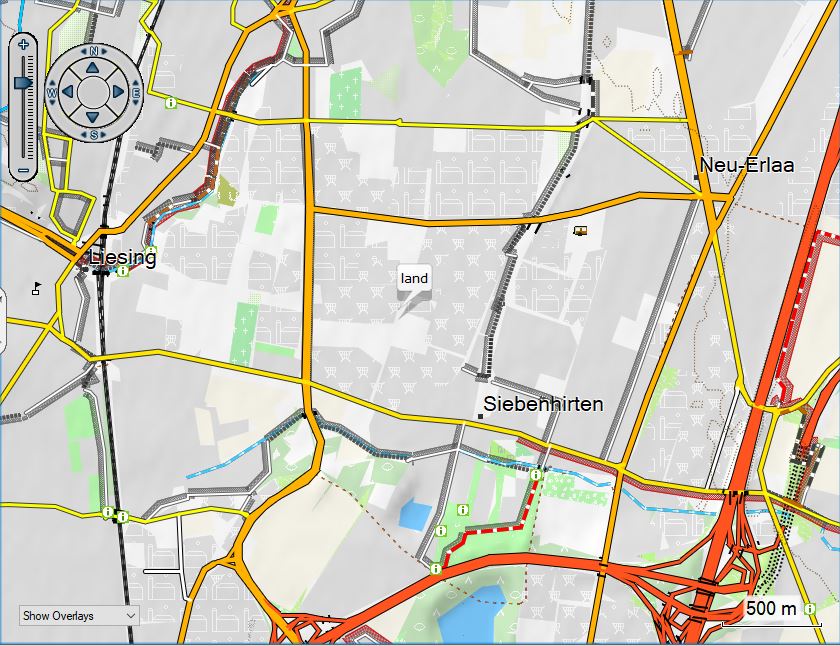
vs the old Wide layout:
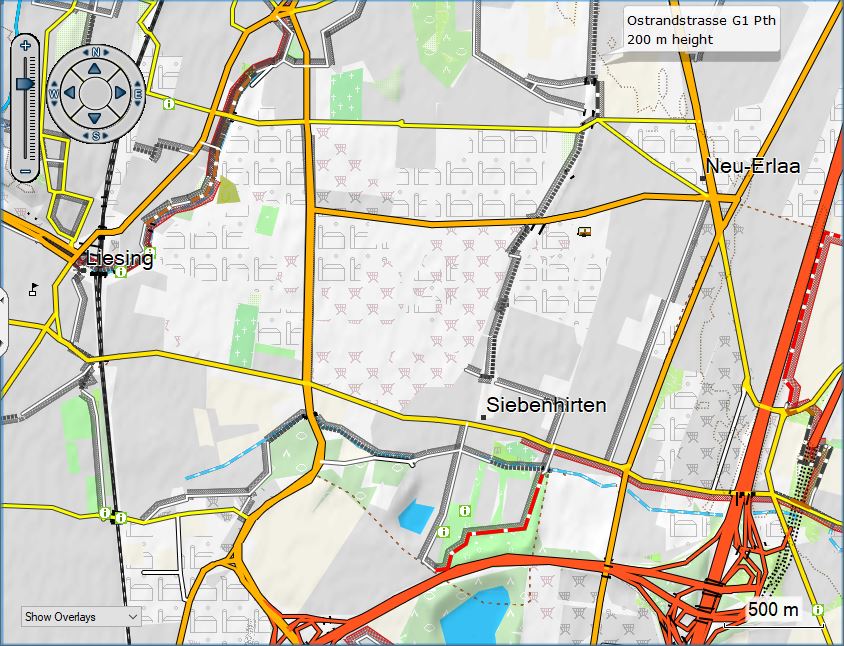
The same was done for the desktop layout (I first thought about removing it altogether - because the new layouts are quite nice on desktop too - but yeah desktop layout with lower contrast is still nicer on desktop:
- so the new desktop layout below.
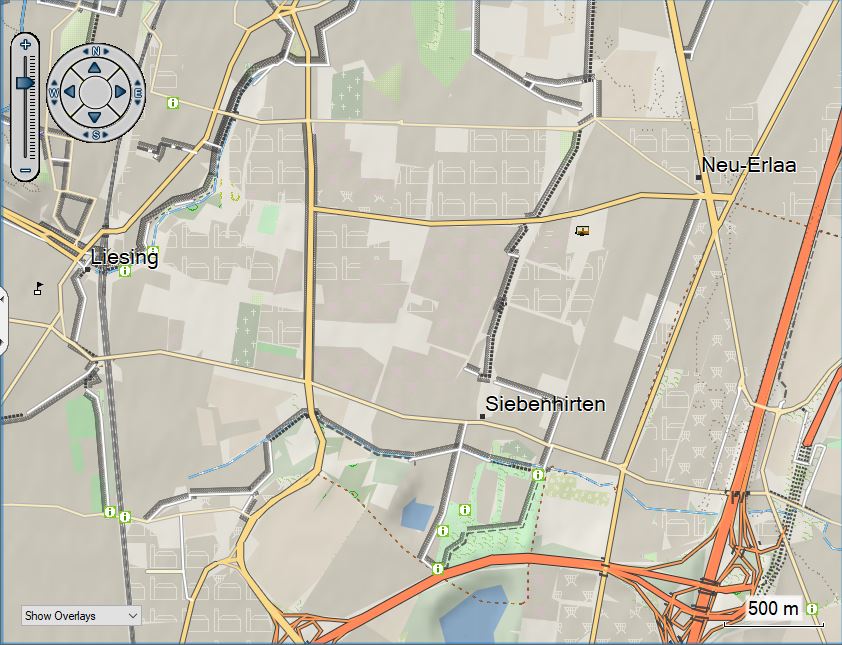
I still have to do some work in implementing those changes for the Fenix layout.
Now on to the new Simple Topographical map layout:

vs the Hiking layout:
vs the wide layout:
And here another screenshot of the new simple Topographical map layout:
Recent Comments