Sprache

Flattr

Support OpenMTBmap via Flattr

Routable Maps for Garmin GPS for outdoor sports

Openmtbmap.org runs on webservers sponsored by www.domainbox.de domainbox-small

email feed

Install maps with Mapsettoolkit

I recommend using Gmaptool or the script "create_mapsource_installationfiles" / create_mapsource_installationfiles_with_mkgmap". For me mapsettoolkit usually worked fine, alternatively use this: http://openmtbmap.org/tutorials/install/gmaptool-install-maps/


Sometimes the map will not install correctly, then you could follow this guide. (Note in case of problems first read the FAQ).

1. Download and Install Mapsettoolkit 1.77beta or later: http://cypherman1.googlepages.com/home

2. Download and Install cgpsmapper free (maptk won't work anymore). http://cgpsmapper.com/


3. Install the maps:

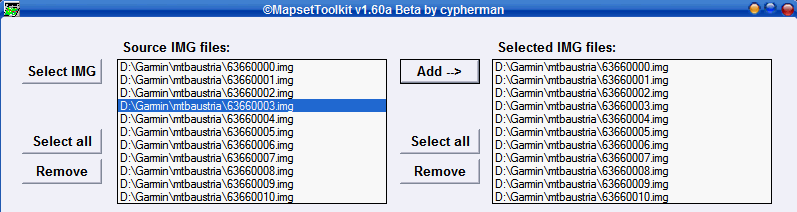
a) "Select IMG" – select all map images (.img): (choose the folder you extracted the maps to). Then click on "Select All" and on the right side click "Add". Now the mapnames should show up on the right and lift window select_img
b) "Select mapset directory" (this should be the directory to which you extracted the maps, but you can choose any directory).

c) "Mapset Name" – give the mapset a name – this name will show in Mapsource to select the map i.e. openmtbmap_at

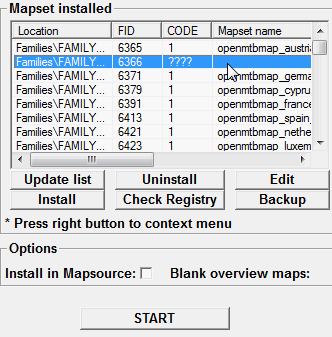
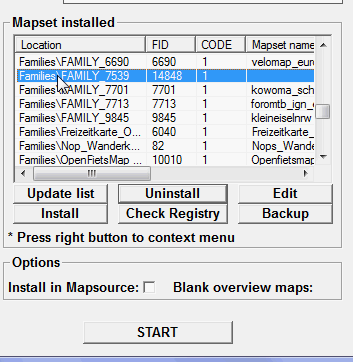
d) "Family ID" – set any number between 100 and 9999. It should not be used already (check looking through the "FID" field on the right of the main window) – i.e. 6366

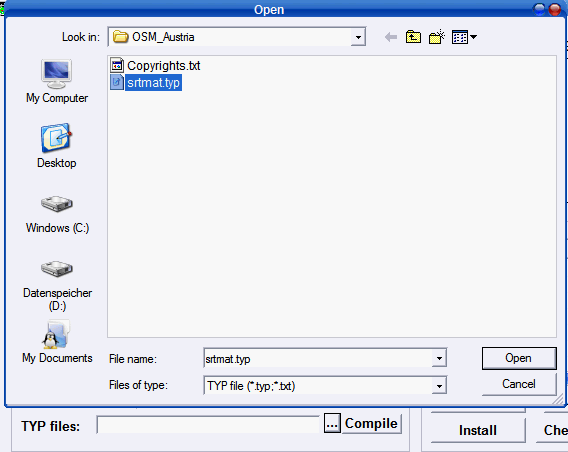
e) Select .TYP file.

select-typfile


f) Tick both options "Install in mapsource" and "blank Overview maps"
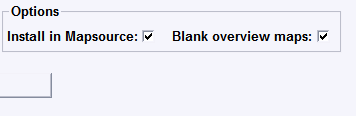
select_options

g) Controll Everything – then Click on "Start"

select_start

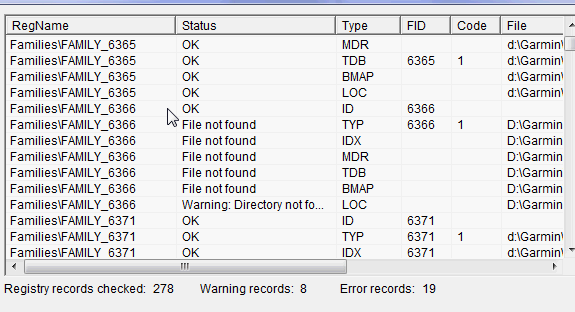
Here is the full view before clicking on start. Note there might be a warning shown, or error, but using cgpsmapper 097 it should nevertheless install correctly.
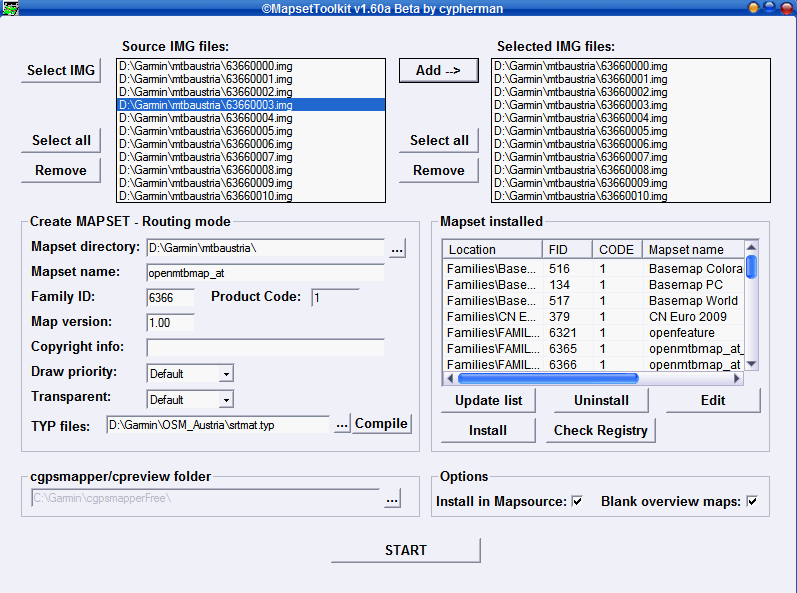
controll


Additional notes for SRTM Contourlines Installation:

I recommend to keep to seperate folders. One for the standard openmtbmap_austria installation, and a second one for the srtm files (plus the current openmtbmap_austria tiles).  So unzip the srtm files to any folder you like, copy (don't move) the openmtbmap_austria map tiles (all files ending with ".img" and having a 8 digit filename (i.e. 63660001.img, but not mapset00.img!) also in that folder.


Also copy the mtbat.TYP file into the folder. However you have to rename it, so there is no conflict in your GPS (Mapsource will tolerate you not renaming it – but the maps may display wrong) be carefull, maximum 8 characters are allowed. I named it srtmat.TYP Then follow the above guide. You will have to set a mapID – I would recommend using 6365 if it is not yet used (openmtbmap_italy uses 6367), but you may use any other number from 100-9999. Don't use 6366 as this the number the openmtbmap_austria uses.


After clikcing on "START" you will get a notice saying that the FID and PID of the .TYP File are wrong and you will be asked if it should be changed. Click Yes on that question. Then you have can send the maps either with or without contourlines to your GPS (or send both versions, and then upon use enable the one you want using the map setup window of your GPS.


Please Note: the *.img files containing the contourlines must be named higher than the maps containing the background polygon. Otherwise the will not show in Mapsource if you include them into the same .tdb. This was wrong in the SRTM Contourlines offered for Austria (update available as of 10.08.2009). Simply rename those tiles from 6224 to 7224 and redo the installation (either with mapsettoolkit or gmaptool –> which I do prefer by now for map installation) or download the srtm files again.


Updating the Maps

Updating your standard openmtbmap installations is as easy as overwriting the old files. For installs of maps including the SRTM contourlines this is a bit more difficult. In case the number/naming of tiles changes, you need to delete the old *.tdb and the old mapset00.img (generated by cgpsmapper) in your SRTM installation folder, then overwrite the old tiles (*.img) with the newer ones and follow the above installation again.


You will also have to do this when after updating the maps – on sending the maps to the GPS with Mapsource, Mapsource complains about an error (usually somethin like there are only 1000MB of free space on your GPS, you try to send 200MB of maps – notice that the second number is smaller – this indicates that the mapset00.img is not working for your maps and needs to be regenerated).

Spend a token to make the maps even better - Unterstuetz openmtbmap - fuer noch bessere Karten.

37 comments to Install maps with Mapsettoolkit

  • Garman

    Thanks a lot for this explanation. I succeeded to install topo France Bourgogne Centre in mapsource and basecamp.
    In mapsetttoolkit it says everything is ok. Also in mapsource and basecamp. During the transfer to my device (oregon 450t), -more specific during the building up of the mapset-there is a error message at about 80%. The building up stops and tranfering the mapset is no longer possible. When transfering just 1 part of the map sometimes it works and sometimes it doesn't. Is there a solution for this problem.
    Thanks again
    Garman

  • Luca

    Hallo,
    Karten installieren: Buchstabe f)
    Blank overview maps: Das Auswahlkästhen fehlt bei meiner Maske
    Was soll ich tun?
    Gruß
    Luca

  • Luca

    Hallo,
    Karten installieren: Buchstabe e) .Typ File auswählen
    Das kapiere ich nicht: Wo finde ich diese file?
    Gruß
    Luca

  • Fly

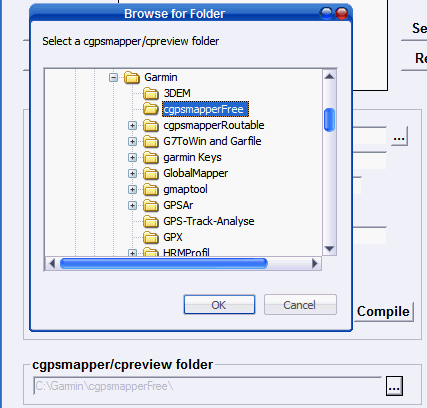
    I allways get stuck when entering the cgpsmapper folder. where is this folder????

  • Löffler

    Ich bin begeisterter Neuling hier – Danke für die Superarbeit!!!

    Habe ein Problem: Hatte bisher nur die Baden-Württemberg Kachel geladen (Version vom 05.03.2010)und mal in mapsource geübt – Routenberechnung funktionierte perfekt nach meinen Vorgaben; jetzt habe ich die Deutschlandkarte komplett geladen (Version 19.03.2010) und wollte Touren planen … hier errechnet es mir keine Route mehr, nur noch “Luftlinie” – Wo könnte das Problem liegen? Habe die Karte mehrmals deinstalliert und mit anderen Types wieder installiert, leider ohne Erfolg. Wenn ich z.B. in der BW Karte eine kleine Route berechnet habe, diese dann in der DE Karte lade und neu berechnen lasse, wechselt die bisherige errechnete Route in die “Luftlinie” – gehe ich dann wieder zurück in die BW Karte und auf Neuberechnung, berechnet mapsource die Route wieder??? Wäre dankbar für Hilfestellung!!!

  • Steve Ellaby

    Help
    I have made a entry in MapsetToolKit to look for cgpmapper.exe and no no maps except base map will show.
    How can I remove it from MapsetToolKit as at moment I cannot delete it from the window box.
    Also should I tell MapsetToolKit to look for Maptk instead in the same box or in the box below?

    When I open Map Source all I get is a white window with a reference to it saying map was created with http://Cgpsmapper.com

    Also can I use Memory Map to create some maps for the Garmin GPS60csx

    Thanks

  • wave

    Wenn ich die aktuellen(09/09) Karten mit Mapset Toolkit in Mapsource einbinde, gibt MapSource eine Fehlermeldung nach dem Aufruf der entsprechenden Karte ab und stürzt danach ab, bei den älteren Karten von 06/09 funktioniert das einbinden reibungslos.
    Allerdings habe ich jetzt 3 verschiedene *.typ-Dateien zur Auswahl?
    Wo ist der Fehler? Danke.

Leave a Reply


You can use these HTML tags

<a href="" title=""> <abbr title=""> <acronym title=""> <b> <blockquote cite=""> <cite> <code> <del datetime=""> <em> <i> <q cite=""> <strike> <strong> <font color="" face="" size=""> <span style="">